

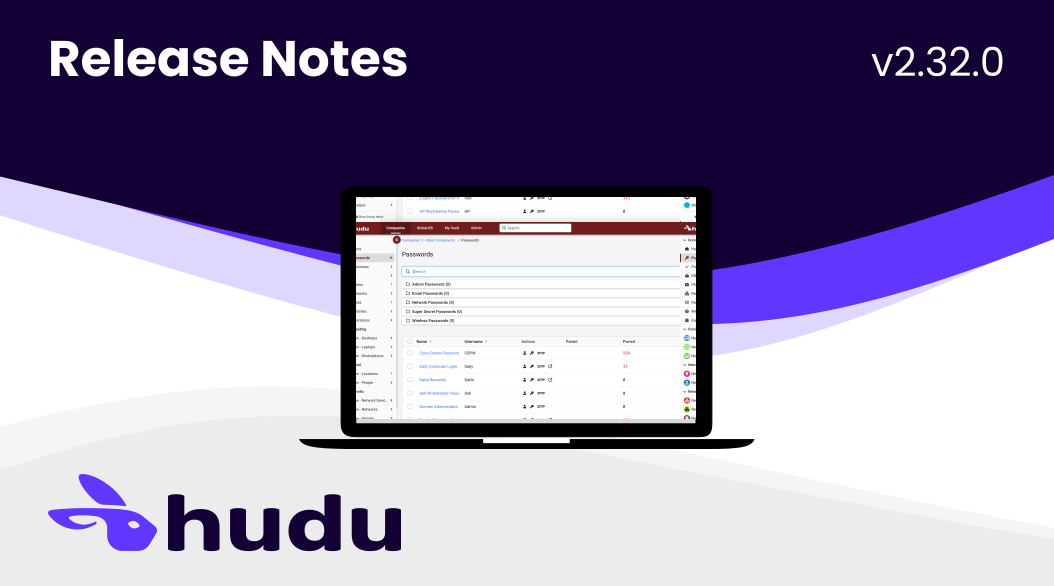
Hudu v2.32.0 has been released! This is one of our most extensive updates yet, featuring a long-awaited overhaul of data tables, a new integration with N-central, a new asset preview feature, and much more...
New Features
- Data Table Overhaul: We completely overhauled our data tables to make them more powerful and easier to use. Some of their new features include:
- Fixed headers.
- Updated pagination and view count options; view count selection is sticky for all tables.
- Sortable column headers (plus, more to come!).
- Selectable rows with bulk actions (where bulk actions are available).
- Search as you type and new “no search results” table states.
- General style updates to improve table readability.
- Asset Preview:Preview asset details not able to be displayed in a table, such as rich text and embedded content, by clicking on the asset row of the table .
- N-able N-central RMM Integration:Connect your N-central RMM instance toconvert customers, sites, and devices from N-central to Hudu assets.
- MagicDash API Scopes: You can now scope creation/deletion of API keys to only include Magic Dash capabilities. This allows you to secure your Magic Dash scripts in a much easier manner!
Improvements
- Improved API endpoints: User details endpoint added to API
- Dashboard Refresh: UI updates to the Hudu Dashboard including new empty states.
- User Profile Menu: UI refresh and updated menu options to open in new tabs so you don’t lose your place in the Hudu platform.
- Companies Page Overhaul
- Updated the Company Directory Page with new collapsible Recents and Favorites sections.
- Added an alphabet jump bar that lets you quickly filter the table to companies beginning with that letter/number.
- Added a search bar.
- Updated table to be sortable by any column.
- Updated archived articles to be in a table format with bulk action options instead of a list of checkboxes.
- Company Overview
- Updated company Agreements UI.
- Onboarding Processes: Updated so that processes that have not been started have a defined “Start” button and processes that have been started have a percentage complete instead of a count (i.e. 0% complete instead of 0/5 complete).
- Passwords
- Updated password folder UI and added count.
- Updated table: Moved username and parent to their own columns, table can now be sorted by password name or username, and updated portal indicator to a checkmark.
- Updated method of searching for parent company when creating a new password to make it easier to toggle between searching the current company and searching globally.
- Updated table for My Vault passwords: Added columns for username and notes.
- Processes
- When viewing a process template, you can now see a list of child processes directly on the process template screen.
- Moved important actions (Edit, Duplicate, Convert to Template, and Create Global Template) out of the “More Options” menu and put them directly on screen when viewing a template or a process.
- Knowledge Base (Global and Company)
- Updated table: Added columns with a date/timestamp for "Created" and "Last Updated", and added a badge to indicate if an article is a PDF.
- Folder Improvements: Updated KB folders to include an item count of articles per folder, added branching display for folders with nested folders to make it easier to tell which folder has subfolders, and what those subfolders are, without opening the parent folder.
- Added ability to move articles to a different folder in bulk.
- Updated search: Automatically search all KB articles so you no longer have to specify if you want to search the current folder or all folders, and automatically search all articles if you are not currently in a folder.
- Added the ability to move an article to a different company when viewing the article (previously, you could only move articles in bulk when viewing the knowledge base).
- Updated process for creating a new article and created two separate buttons for creating an article or creating a folder.
- Updated the “More Options” menu when viewing a KB article to be more user-friendly.
- Updated archived articles to be in a table format with bulk action options instead of a list of checkboxes.
- Assets
- Updated action options for assets pulling information over via an integration to make it easier to launch the integrated company, re-sync, move, or delete the card, and added ability to mark a card as important.
- Updated font styles to emphasize an asset field’s content and make it easier to differentiate from the field’s label.
- Updated table: Added columns with a date/timestamp for "Created" and "Last Updated", and froze first column of all asset tables so asset name remains visible in tables with horizontal scrolling.
- Manage Asset Layout button now opens the asset layout in a new tab, so you do not lose your place in the platform.
- Photos
- Adjusted thumbnails to retain the photo’s original aspect ratio and upgraded thumbnail resolution.
- Updated pin/unpin button style and size.
- For Admins
- Added ability to filter the Global Asset Lookup table by both company name and asset layout type.
- Added ability to archive and permanently delete assets in bulk via the Global Asset Lookup table.
- Dark Mode
- We’re working to improve our dark mode color scheme - you should notice some improvements in this release, with more to come!
Bug Fixes
We have also fixed several bugs to ensure a smoother experience:
- Resolved an issue causing images not to appear when printing articles.
- Resolved an issue causing images not to appear when exporting companies to PDF.
- Fixed a bug causing photos to sort incorrectly.
- Various other minor bug fixes and enhancements.
Stay Up to Date on Hudu News
Subscribe to this blog (below) to get Hudu news and information delivered to your inbox. We will update you on major releases and events like our quarterly product webinars.