
Hours of network documentation, in minutes
Radar scans your network and turns what it finds into structured documentation inside Hudu.
based on 350+ reviews on
G2
BetterTracker

6,000+ IT teams trust Hudu to simplify their operations









From scan to documentation — without the manual work
Auto-built networks & IPAM
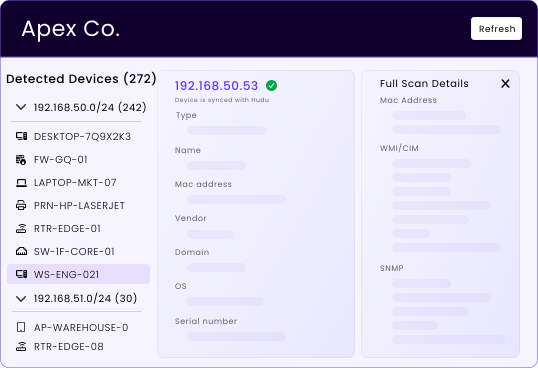
Turn devices into structured assets
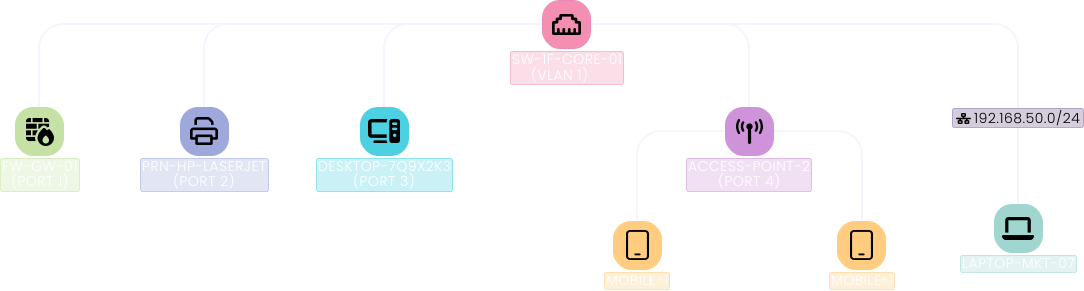
Live topology maps
Editable before sync
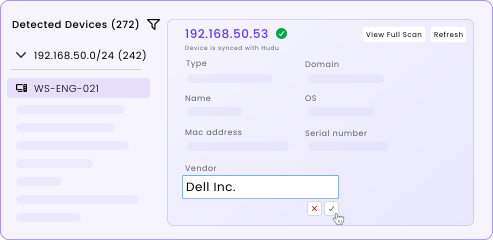
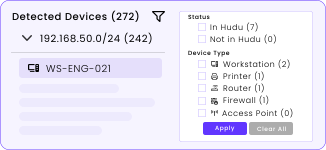
Fast filtering
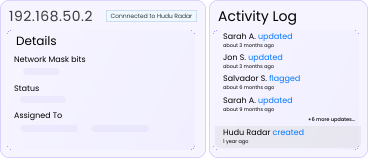
Full activity logs
Device inventory under control
Every discovered device becomes a structured asset with real context
- OS, hardware, interfaces captured
- Status and sync visibility
- Filterable device lists
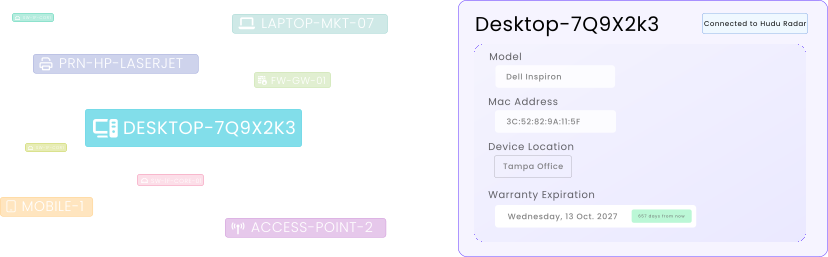
Warranty awareness built in
Radar captures vendor and serial details and creates warranty expirations automatically
- Vendor and serial captured during scans
- Warranty expirations auto-created
- Gaps visible before failures happen
Coverage beyond the network
Optional agents extend discovery where network scans can’t reach
- Local detail from hard-to-reach devices
- Secure, centralized communication
- No direct device access required
Helping customers around the globe

TeamLogic IT
MSP
1.5
times
faster client onboarding
Read Case Study

Isometric
MSP
$1200
NZD/month
saved by switching to Hudu
Read Case Study

Inhouse-Support
MSP
75
%
faster ticket resolution
Read Case Study

Southern Solutions
MSP
3
times
team expansion
Read Case Study

Integrated Data Solutions
MSP
100
%
client base increase
Read Case Study

Paul the Geek
MSP
3
times
faster client onboarding
Read Case Study
Viewing case study 1 of 6
FAQs
Hudu Radar is a desktop external application that allows you to easily scan available networks to gather information about both the network and any devices on the networks. It is an additional product offering available to Hudu users for purchase.
The Hudu Radar Agent is a silent external application that will provide device information that could not be collected over the network by Hudu Radar. The Hudu Radar Agent is available for Windows 10+ and Windows server 2016+. We plan to add support for MacOS and Linux in the future.
Radar works as an optional add-on for Hudu users running version 2.39.4 or later.
Radar runs on a collector device inside client networks and can also rely on Hudu Radar Service for silent background scanning.
No. Many environments work fine with network-based scans only. Hudu Radar Agent remains available for devices that require deeper local discovery.
Hudu Radar can detect the following device information: IP address, type, MAC address, vendor, name, domain, OS, serial number, model, CPUs, disks, last login user, uptime, and interfaces. Hudu Radar is available for Windows 10+ and Windows Server 2016+.
Yes, Hudu Radar is available for both hosted and self-hosted users.
Network maps attached that company will disappear automatically from IPAM when Radar use stops. Information that was discovered will remain, but will no longer continue syncing.
See what calm feels like
Give your team a documentation system they can rely on — during onboarding, incidents, and everything in between