
Organization and Structure
Hudu Tips & Tricks: Gold Standards
Explore gold standards that help you enforce consistent, high-quality documentation across your team.
Hudu's Gold Standards feature provides the ability to designate asset entries as “Gold Standards”, essentially marking them as examples of what high-quality documented assets should look like.
- A successful strategy we've seen for Gold Standards is to have multiple gold standards for each asset layout, as there may be differences between specific assets.
- Additionally, we recommend Gold Standards having real data, not dummy data.
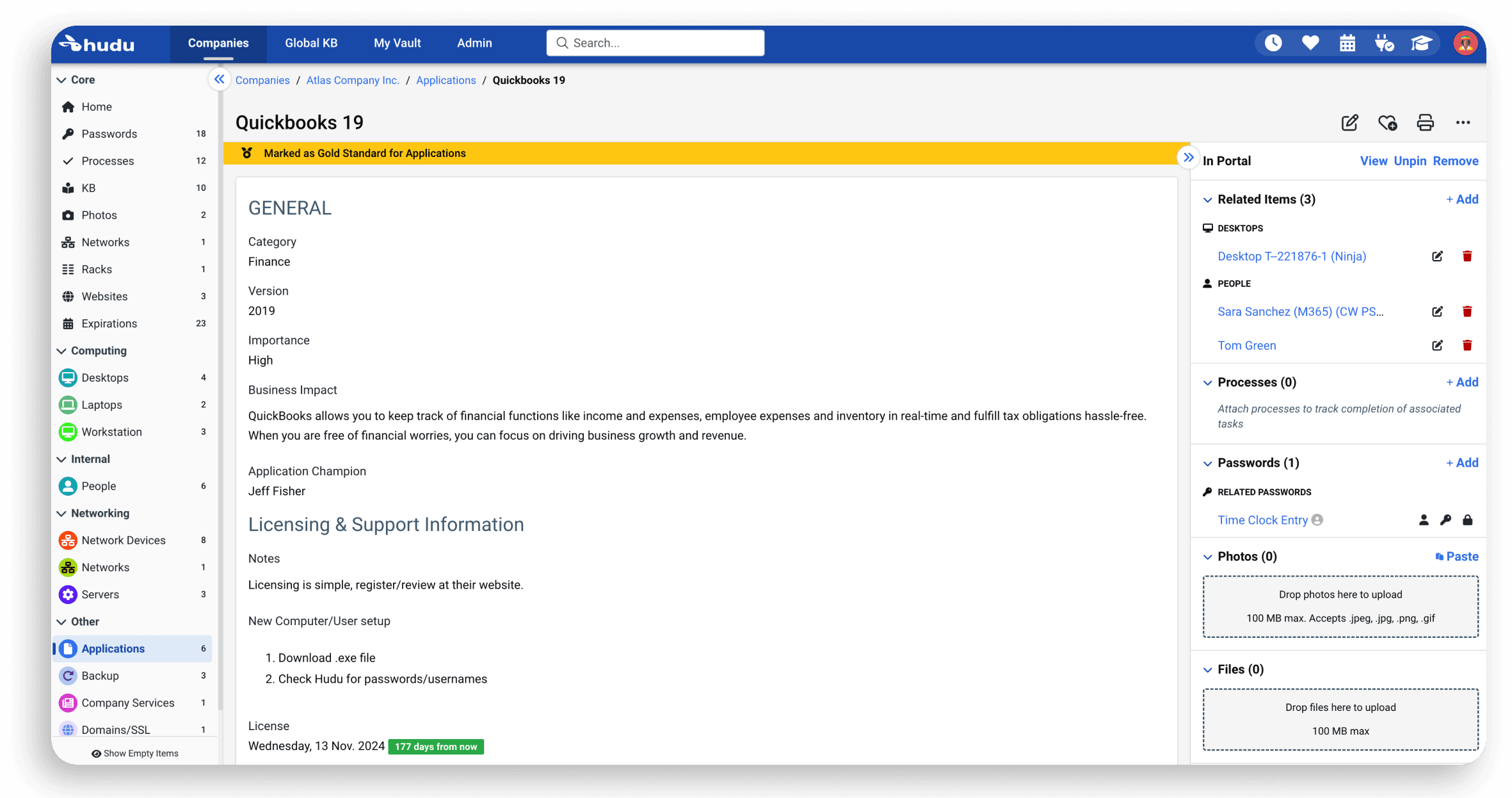
In order to mark an asset as a Gold Standard, navigate to the desired asset. Once in that asset, click more options, and then select "Make Gold Standard". Once selected, the asset should have a gold bar under its name as seen here:
Now, once you have your Gold Standard(s) created, the Gold Standards tab of your Hudu admin area will provide up to your top three gold standard assets for each asset layout:
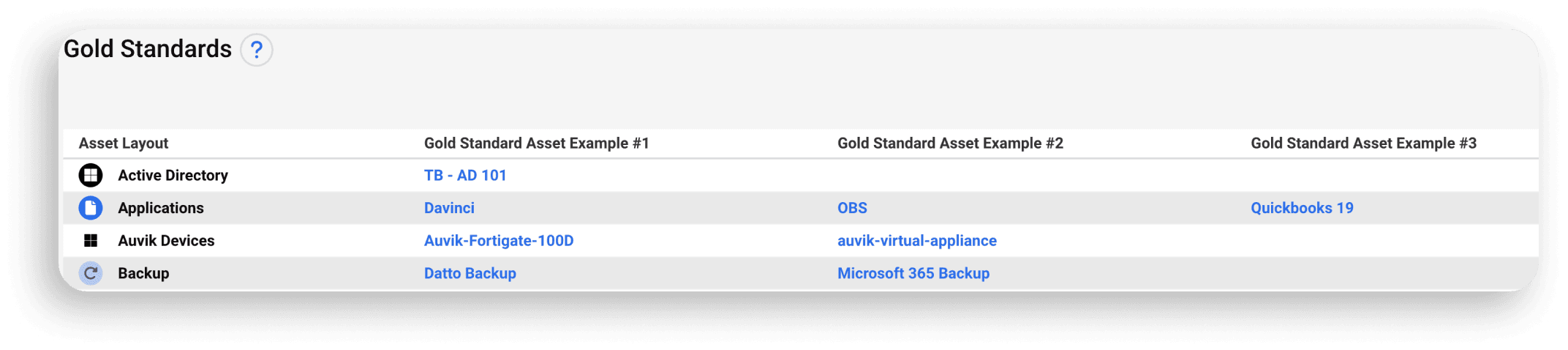
Note: Although you can designate more than three assets as gold standard per asset layout, only the top three will appear in the Hudu admin >> Gold Standards area. Additional Gold Standard assets (if you have 4 or more) will only appear when creating/editing an asset.
Now, when going in to an asset layout and adding a new asset, the Gold Standard examples populate on the right side of the page, as seen below. This ensures that if an individual is adding a new asset to any company, they have quality examples to follow.

See what calm feels like
Give your team a documentation system they can rely on — during onboarding, incidents, and everything in between