
Securing your Documentation
Tips & Tricks: Museum
Learn how to use the Museum feature to archive old info, declutter active docs, and keep historical records organized and searchable.
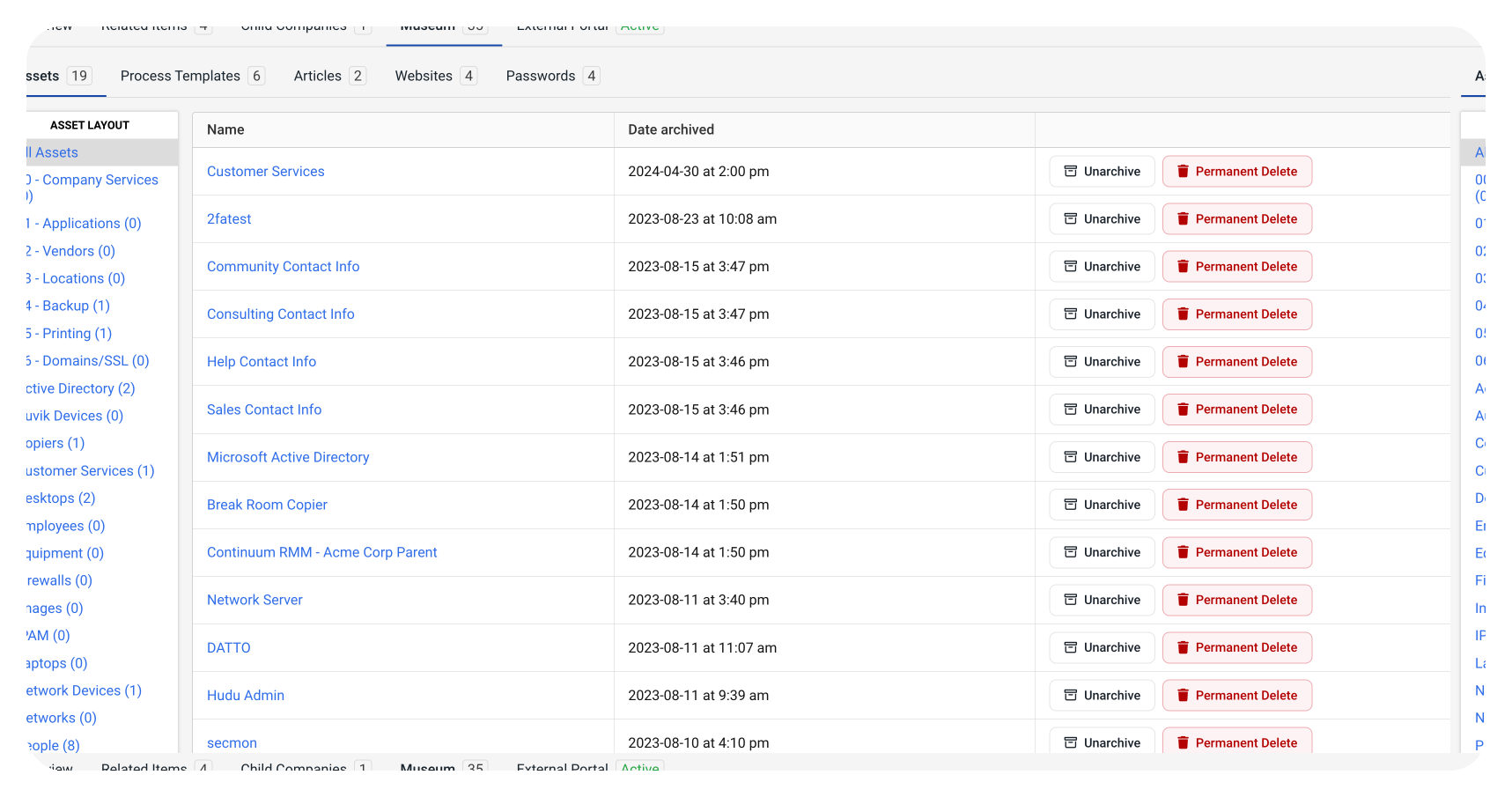
The museum serves as an archive in order to store old and/or inactive information, enabling you to maintain organized client interfaces. In addition, this feature serves as a way to declutter your Hudu interface, so you only have relevant information portrayed. Each client interface has a separate museum, unique to their company. The museum will store items such as assets, processes, articles, websites, and passwords (as seen in the image below). Another nice feature of the museum is you can always unarchive items to bring them back into your instance.
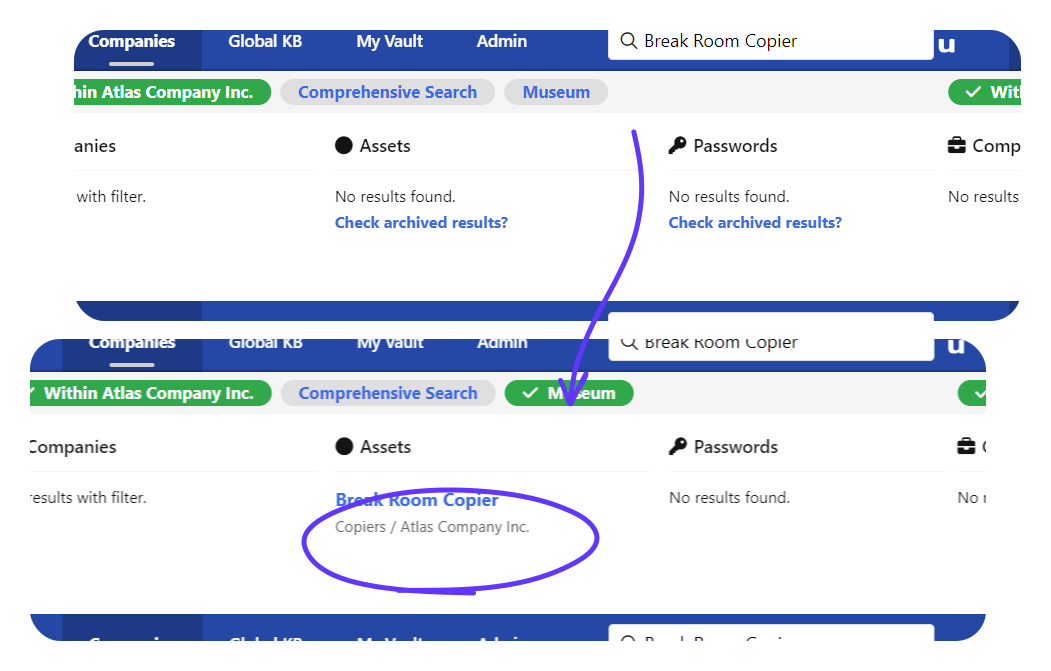
Have you ever been looking for documentation and can't find it? Then, found out someone (or you) had deleted it? For Hudu, that documentation would still live in your museum. If you can't find it with your normal search, you can use our search filters to toggle on the "Museum" section and search through those archived items as well. The first image below shows a search for a "Break Room Copier" but no results show up because this documentation is currently in the museum. The second image now shows the museum filter toggled on, and now our search gives you the results you were looking for.
Here are a couple additional handy things to know about the museum:
- Relationships remain linked when an item is moved to the Museum.
- Archived items are tracked by the activity feed which includes the date and the user who archived the item.
See what calm feels like
Give your team a documentation system they can rely on — during onboarding, incidents, and everything in between