
Organization and Structure
Hudu Tips & Tricks: Onboarding & Offboarding Processes
Standardize client and employee transitions with clear, repeatable documentation processes.
Having good processes for onboarding and offboarding can be critical for ensuring a seamless transition for employees either joining or leaving a company (and/or clients starting or stopping with your service). Onboarding and offboarding can be challenging because of:
- The time commitment
- Being consistent and completing all steps
- Getting employees to follow tasks the way you want them to be done
- Maintaining knowledge at the company level and not at the individual level
In a previous tip, we talked about Global Process Templates (GPTs), but this week we are diving into a specific way to use them: onboarding and offboarding processes in Hudu, created as GPTs. Creating a GPT for your onboarding process allows you to standardize that process and ensure all aspects of your onboarding SOP will be completed through the process. Below, we have attached some screenshots of examples of onboarding and offboarding processes for a new contact/user that we have seen customers use. We also included an example process of onboarding a new client. As always, your team can utilize these as a starting place, but make changes as needed.
Example of onboarding a new contact/employee for a client:
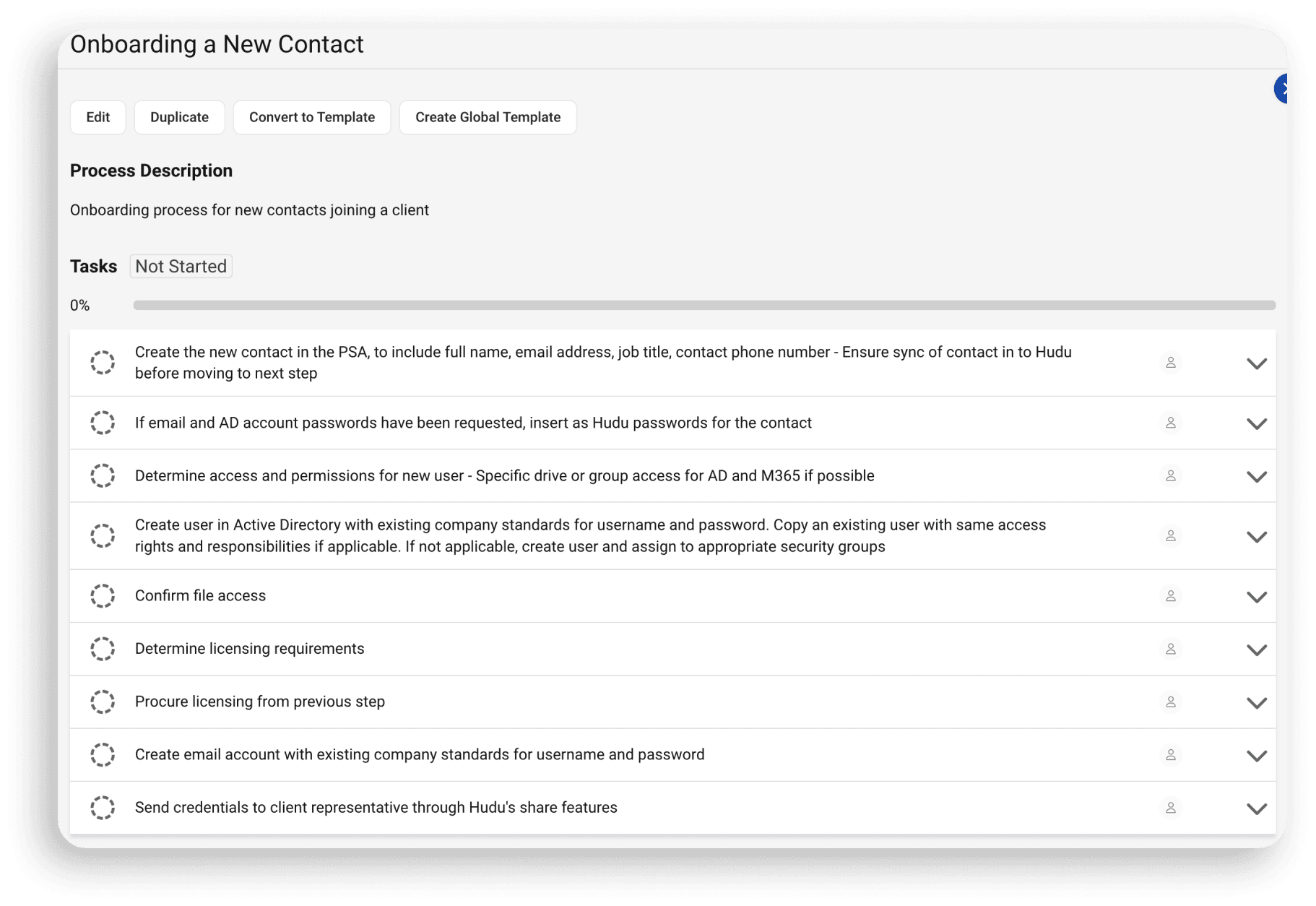
Example of offboarding a new contact/employee for a client:
Example of onboarding a new client:
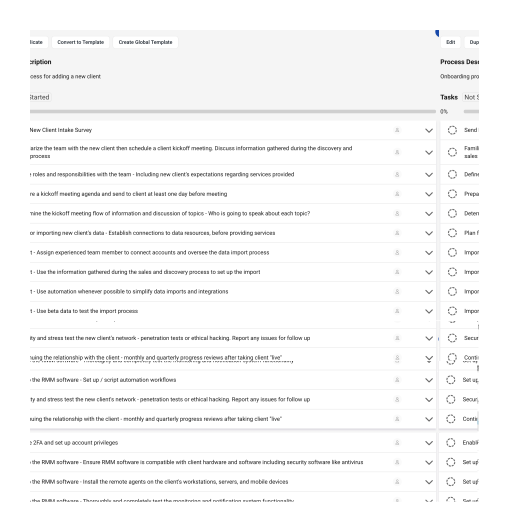
Some of the information that is shown in the tasks may be better off portrayed in the additional notes/description under the that task, but we just wanted to provide as much information possible in each task in an easy to read format. For example, for the "Plan for importing new clients data..." task, the title may just be "Import New Clients data" and everything else shown may be in the notes section. One thing to keep in mind is anything in the notes section will not be visible when utilizing the "Copy completed tasks" feature but the print option would give you the ability to choose if you wanted the notes visible when printing.
If any of these are processes you think you may use, we have provided a PDF handout of these copied process steps to make it easier for you to create them as your own Hudu processes:
Onboarding/Offboarding Examples
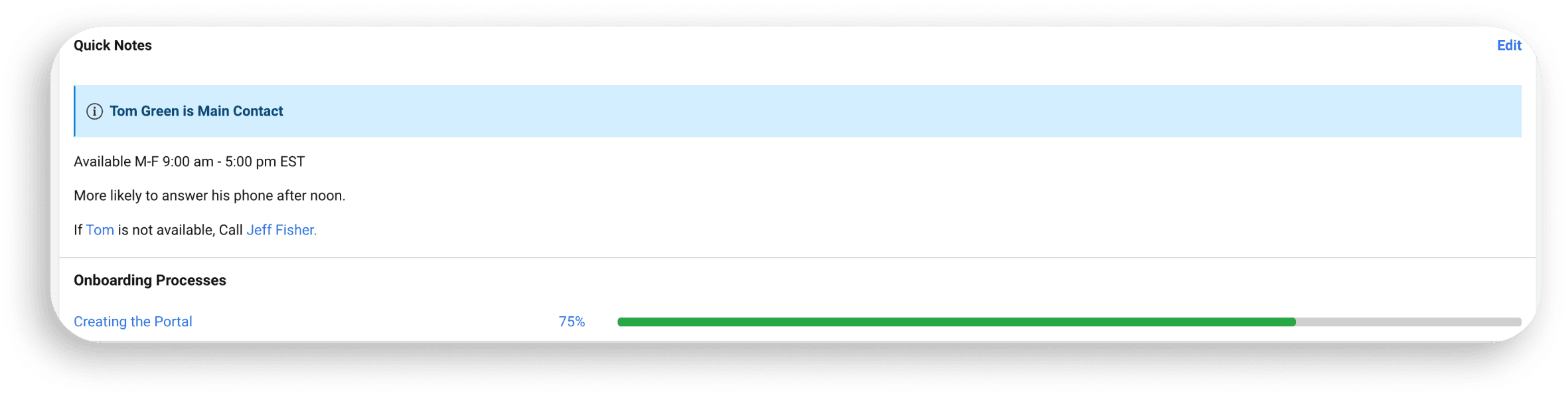
Another feature that Hudu provides is the ability to set process templates as "Onboarding Processes". If this is set, as soon as a process is activated, it will show up on the company page as an onboarding process, as seen in the image below. This allows for easy viewing and access to the process so you can make sure that a new client or employee is fully onboarded (or offboarded if you choose to use it that way):
See what calm feels like
Give your team a documentation system they can rely on — during onboarding, incidents, and everything in between