Hudu v2.47 is live!
Hudu v2.47.0 introduces a new portal user role that brings client access directly into the main Hudu app, alerts for Radar devices and scans, and support for inline images in documentation. This release also includes improvements to the KB editor and network maps, along with a range of bug fixes.
Self-hosted environments can update at any time. Updates to cloud-hosted environments have begun.
Before updating: Self-hosted instances must have PostgreSQL 18+ and pgvector 0.8+ installed. Follow thePostgreSQL upgrade guide before proceeding.
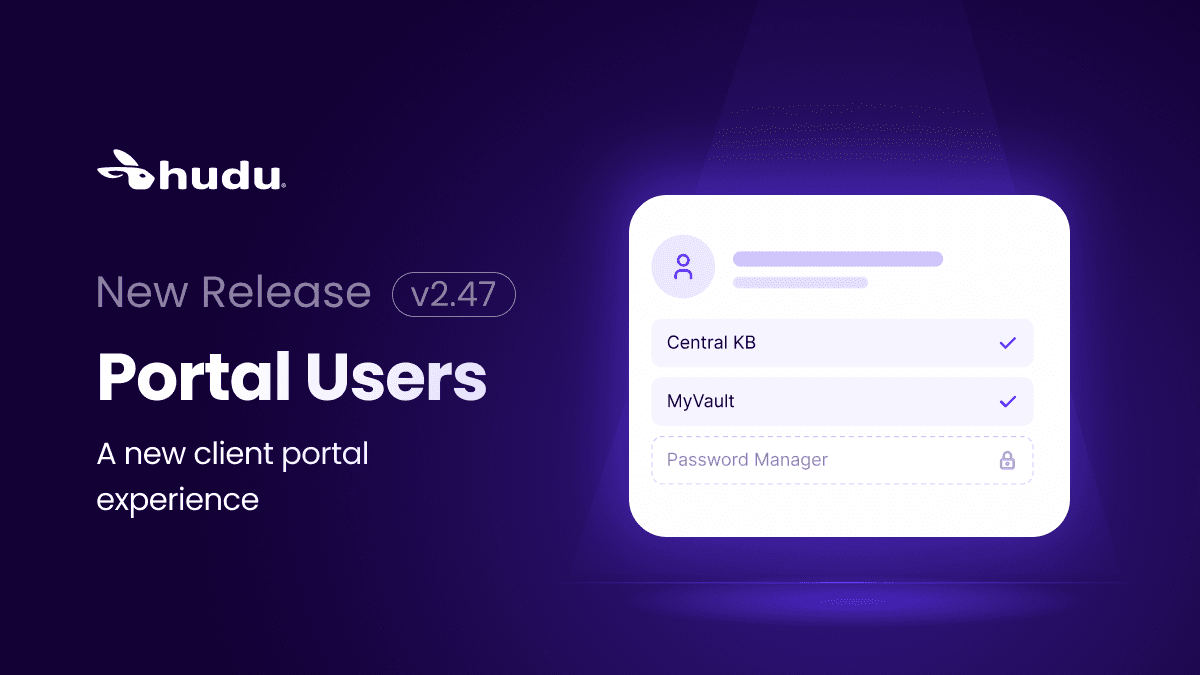
A new portal experience, built into Hudu
Client portals have been replaced by a free portal user role in the main Hudu app. Clients can now access Hudu through the same interface your team uses, while admins retain control over which companies each portal user can access through groups.
Existing portal members are converted to the new role automatically. No manual migration is required.
Company homepages also include a new Portal Overview section, providing a dedicated space for client-specific information.
If you exported your portal data using the Portal Member Export and Portal Records Export introduced in v2.46, you can use those exports as a reference when reviewing your group permissions.
Radar alerts for devices and scans
Stay on top of Radar scans without having to check manually. Configure alerts for Radar devices and scans from Admin → Alerts, and choose which companies each alert applies to. This makes it easier to spot issues as they arise and keep your team informed about the environments they manage.
Inline images in documentation
Make documentation easier to follow by placing small images directly alongside text within a paragraph. Add icons to steps, show visual references next to the instructions they relate to, or help readers identify the right option at a glance. Images on their own line remain the default, so you can continue using existing layouts.
Also in this release:
- API access controls: API IP restrictions are now configured on individual API keys rather than through IP Access Control in Admin → Security.
- Network maps: Smoother panning and zooming, improved screen fitting, easier-to-use side panels, and more consistent tooltips on smaller screens.
- KB editor: More consistent formatting between editing and viewing, including blank lines, text colors, highlights, image alignment, and list styling.
- Pasting content: Improved formatting when pasting from Google Docs and Hudini.
- Excel tables: Tables copied from Excel remain editable instead of being converted into images.
- Accordion titles: More reliable formatting, text selection, and pasting, including in Firefox.
- Multi-select asset fields: Selected values are preserved when fields are viewed or edited in Assist and mobile.
- Connected tools: Asset lists load faster and indicate whether assets have passwords or passkeys.
- ManageEngine Endpoint Central Cloud: Company and matcher discovery now uses the MSP Cloud customers endpoint.
- Mobile layout: Adjusted spacing on Admin and Global pages.
- Integration pages: Headers remain visible while scrolling.
Fixes:
- Nested checkboxes and numbered lists display correctly in content and PDF exports.
- Selected text in code blocks is visible in light mode.
- Image toolbar controls work correctly in Firefox.
- Pasting content no longer unexpectedly removes text or introduces unwanted formatting.
- Adding a separator to a numbered list no longer disrupts numbering.
- Comprehensive search matches visible content rather than hidden formatting code.
- Moving a password folder to another company also moves the passwords it contains.
- Group password folder access shows only folders the group is permitted to access.
- Required checkbox fields no longer prevent edits in the layout builder.
- Editors with the appropriate permissions can create photo folders and KB folders.
- Redirects are more secure when authorizing connected apps.
- MCP clients can be registered without the previous connection failures.
- Azure semantic search rebuilds use the configured search service rather than the chat service.
- Pages load correctly throughout the onboarding wizard.
- The company Quick Notes formatting toolbar no longer appears behind navigation.
- Various other minor fixes and improvements.
Minimum suggested versions for self-hosted environments
- PostgreSQL 18.6 with pgvector 0.8+
- Redis 7.2.4-alpine
- nginx 1.31.2